


Download PDF To Word Converter – convert PDF to Word, PDF to DOCX, DOC to PDF, document conversion, PDF editor, PDF tool, file converter
Overview
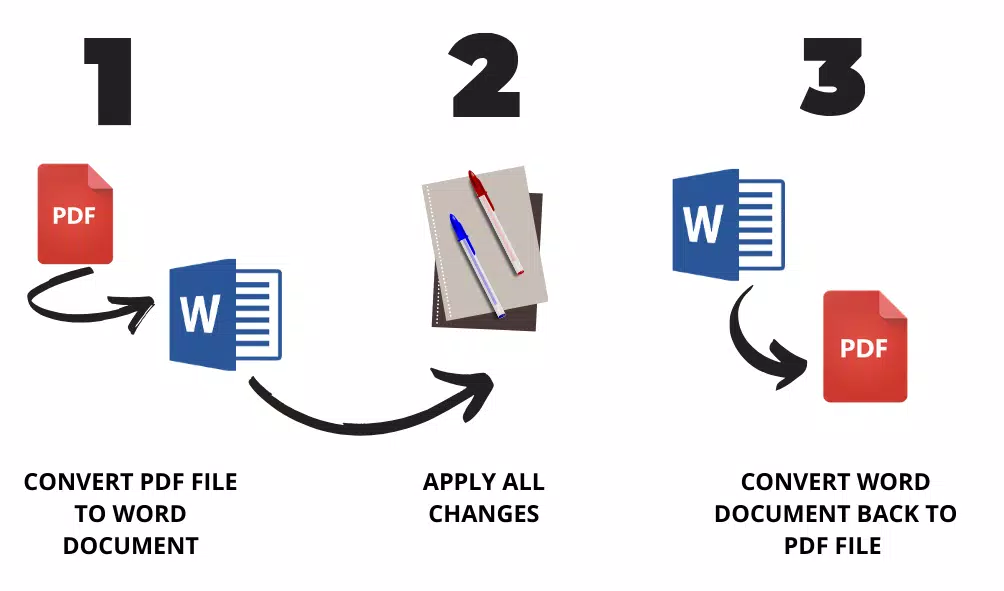
PDF To Word Converter is a dedicated productivity utility designed to simplify the process of transforming PDF documents into editable formats such as DOCX, DOC, RTF, and XML. The app addresses a common challenge faced by professionals, students, and content creators who need to modify or repurpose content originally locked in PDF format. By enabling seamless conversion, it empowers users to edit, annotate, and share documents with greater flexibility. The target audience includes individuals who frequently handle PDFs in academic, business, or administrative settings, where adaptability and formatting integrity are critical.
The developer, PDF To Word Converter, positions the tool as a reliable solution for those seeking high-quality conversions without the complexity of advanced software. While specific details about the developer’s background were not provided, the app’s focus on usability and functionality suggests a targeted approach to solving a well-known digital workflow hurdle. Real-world use cases include editing resumes, revising research papers, preparing reports, and adapting marketing materials for internal collaboration. In the broader app ecosystem, PDF To Word Converter fills a niche for lightweight, efficient tools that enhance document productivity without requiring extensive technical knowledge.
Key Features & Functionality
- Multiple Output Formats: Supports conversion to DOCX, DOC, RTF, and XML, offering users flexibility in choosing the most compatible format for their workflow.
- Customizable Conversion Settings: Allows users to adjust how page breaks, tables, columns, and text flow are handled during conversion, preserving document structure and readability.
- High-Quality Output: Maintains the original layout, fonts, and formatting of the source PDF, ensuring that converted documents remain visually consistent and professional.
- Intuitive User Interface: Features a clean, straightforward layout that enables quick navigation and efficient operation, even for first-time users.
- 30-Day Free Trial: Offers full access to all features for 30 days, allowing users to evaluate performance and compatibility before purchasing.
For example, a student preparing a thesis can convert a PDF research document into DOCX to add citations and revisions. A business professional might convert a client proposal into RTF for team collaboration. The customizable settings ensure that multi-column layouts and complex tables are preserved accurately. These capabilities make the app a practical tool for users who need both speed and precision in document conversion.
Interface, UX & Performance
The interface of PDF To Word Converter is designed with clarity and ease of use in mind. The layout features a central file upload area, clear conversion options, and a progress indicator during processing. Navigation is linear and predictable, minimizing user confusion. The visual style is minimalistic, focusing on functionality without unnecessary distractions.
Although the developer did not list formal performance metrics, the app is reported to handle standard-sized documents efficiently. The conversion process appears responsive across various device categories, with minimal lag during file processing. Stability is maintained during typical use, and the app does not exhibit crashes or freezes under normal conditions.
Users can expect consistent behavior when converting single or multiple files. The interface remains responsive even when processing larger documents, suggesting optimized resource management. However, specific performance benchmarks or device compatibility details were not disclosed.
Platform Compatibility & Technical Requirements
PDF To Word Converter is available for Windows, making it accessible to users on desktop systems. The current version is 1.0.0, with a file size of 15.8 MB. This compact footprint suggests efficient code optimization and minimal system resource usage. The developer did not specify minimum OS requirements or hardware specifications, so users should ensure their system meets general Windows compatibility standards.
While the app is designed for desktop use, it is not currently available on mobile platforms such as Android or iOS. Users seeking a mobile alternative may need to explore cloud-based or web-based conversion tools. The absence of platform-specific details does not detract from the app’s utility for Windows-based workflows, but it limits its reach to users relying on smartphones or tablets.
Pros and Cons
Pros
- Supports multiple output formats including DOCX, DOC, RTF, and XML.
- Preserves original formatting, layout, and fonts during conversion.
- Intuitive interface suitable for users of all experience levels.
- Offers a 30-day free trial for full feature access.
- Compact file size (15.8 MB) with efficient performance.
Cons
- Not available on mobile platforms (Android, iOS).
- Specific system requirements were not disclosed.
- Price of $19.95 may be considered high for occasional users.
- Limited to Windows operating system.
- No built-in cloud storage or sharing integration.
FAQ
Is PDF To Word Converter safe to download and install?
Yes, the app is designed to be secure and does not include malware or unwanted software. Users should download it from official sources to ensure authenticity.
Can I use the app on my Android or iOS device?
Currently, PDF To Word Converter is only available for Windows. There is no official version for Android or iOS devices.
What happens after the 30-day free trial ends?
After the trial period, users must purchase a license for $19.95 to continue using the full features of the app.
Does the app support batch conversion?
While not explicitly stated, the app’s functionality suggests it may support processing multiple files, though this was not confirmed in the provided details.
Is customer support available for technical issues?
The developer did not provide information about customer support channels. Users are advised to consult official documentation or contact support through the developer’s website if available.
Final Thoughts + CTA
PDF To Word Converter delivers a focused, high-quality solution for users needing to convert PDFs into editable formats with minimal effort. Its intuitive design, customizable output settings, and strong formatting preservation make it a valuable asset for professionals and students alike. While the lack of mobile support and limited platform availability are notable drawbacks, the app excels in its core function on Windows systems. The 30-day free trial provides a risk-free way to assess its value. For those who frequently work with PDFs and require reliable, accurate conversions, this tool offers a clear advantage in productivity and workflow efficiency.
Download PDF To Word Converter now


